Why waste time drawing? Automate the design.
Eliminate repetitive tasks, reduce design errors, and speed up delivery. Discover how CAD automation can transform your workflow and boost productivity. Your workflow—supercharged.
What is design automation?
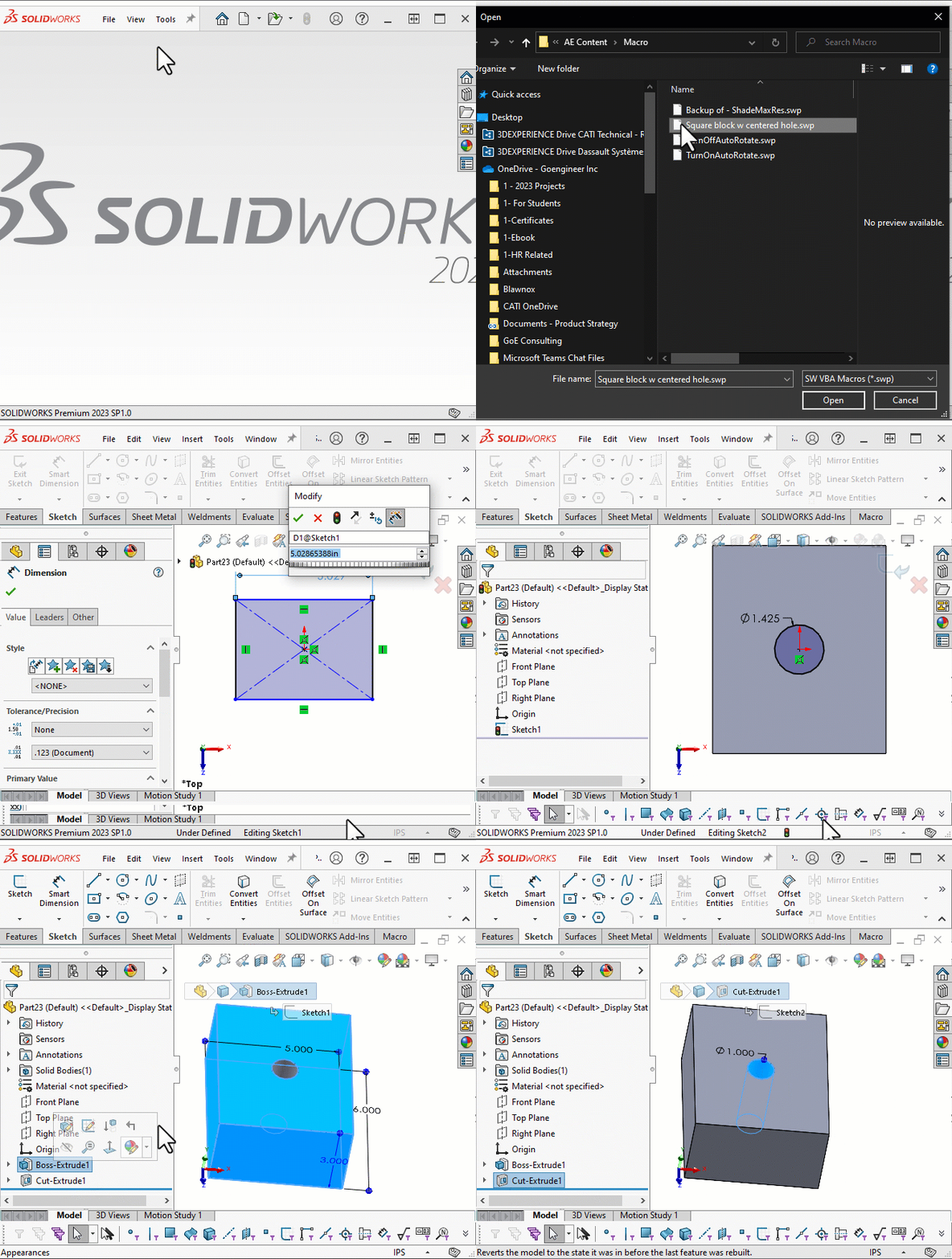
Design automation embeds an engineer’s rules, parameters, and decision logic into software so that 3D models, drawings, BOMs, and even cost estimates spring automatically from a handful of inputs rather than hours of manual work. By housing all dimensions, formulas, and option-dependent features in a master template, the system scales parts, adds or suppresses components, renames files, and runs checks in seconds—transforming what was once time-consuming “click work” into a push-button routine.
The result is a triple win: lead times and labor costs plummet, error-prone steps vanish, and skilled staff are freed to focus on higher-value tasks like concept development or client collaboration, turning accuracy from a hope into a guarantee.
Why Automate Your CAD Design Process?
Investing in CAD automation isn't just about saving time. It's about transforming your entire product development lifecycle to be faster, more reliable, and more innovative.

Traditional Process (45-60 mins per variant)
- Manually modify the master model
- Update associated drawings and BOMs
- Recheck clearances, weights, and part numbers
- Generate new PDF drawings and STEP files
- Upload to server and notify production
Total annual time spent: 250 variants × 1 hour = 250 hours/year
Automated Process (Under 5 mins per variant)
- Customers or sales staff input key specs via a form
- 3D models and drawings are auto-generated
- BOM and part numbers update automatically
- Outputs are instantly ready for approval or production
Result: Time per variant drops from 60 minutes to under 5 minutes. Annual time saved: ~230 hours
Key Benefits Beyond Time Savings
- Faster response to customer inquiries and RFQs
- Shorter lead times and quicker deliveries
- Reduced risk of human error in repetitive tasks
- More consistent output and documentation
- Empowerment of sales and non-technical staff to generate designs

Solutions
Advanced CAD Automation Solutions
Explore how our custom automation tools can transform your design workflows across various applications.
Rule-driven design automation for product configurators and quote generation.
Custom macros, add-ins, and feature automation using SolidWorks API (C#, VBA).
Automating repetitive tasks across multiple CAD files (e.g., exporting, updating properties).
Automating interactions with SolidWorks PDM for file management and metadata control.
Auto-generating BOMs and engineering drawings with custom annotations and standards.
Converting VBA/SolidWorks macros to robust .NET-based add-ins.
Using Windows Forms or WPF to create user input-driven modeling tools.
Connecting CAD tools to external systems (e.g., ERP, PLM) for end-to-end automation.
Populating models using SQL or NoSQL databases to support scalable product variations.
Automating rating plate generation and embedding codes for traceability.
Preparing FEA/simulation studies with pre-defined loads, meshes, and configurations.
Auto-filling and managing custom properties across assemblies and parts.
Reverse Engineering Solutions
From physical object to digital design. We provide comprehensive reverse engineering services to replicate, analyze, and improve existing components.

Utilizing advanced metrology tools to capture precise dimensions from physical objects for accurate digital recreation.

Transforming complex physical parts into detailed 3D models using state-of-the-art scanning technology, perfect for legacy parts or modifications.

Creating comprehensive technical drawings from scanned data or existing parts, and converting them into production-ready CAD files.
SolidWorks Optimization Solutions
Unlock the full potential of your SolidWorks environment. We fine-tune your setup and workflows for maximum speed and efficiency.

We analyze and optimize your SolidWorks settings and hardware configurations to ensure maximum performance and stability.

Implement strategies like lightweight modes, configurations, and SpeedPak to make working with large assemblies seamless and efficient.

We establish standardized templates and best-practice modeling techniques to ensure consistency and improve model rebuild times across your team.
Industries That Benefit from CAD Automation
From industrial machinery to consumer products, our automation solutions cover a wide range of applications.


Powered by Trusted Tools
We build on industry-leading platforms to deliver robust and scalable automation solutions.

SolidWorks
3D CAD Software

DriveWorks
Design Automation

PTC Creo
Parametric CAD

Autodesk Inventor
3D Mechanical Design
Automate CAD. Eliminate Errors. Deliver Faster.
Ready to transform your design process? Get in touch for a free consultation and see how automation can drive your success.